For DJs
Keep gig details, contracts, client preferences and playlists together.
Explore DJ booking softwareInvoices and deposits
Create invoices, set deposit schedules and keep track of outstanding balances. Give clients your payment instructions and keep the records with the event.
14-day trial. Payment method required. Your plan renews automatically unless cancelled.
Plans from £9.99/month. View pricing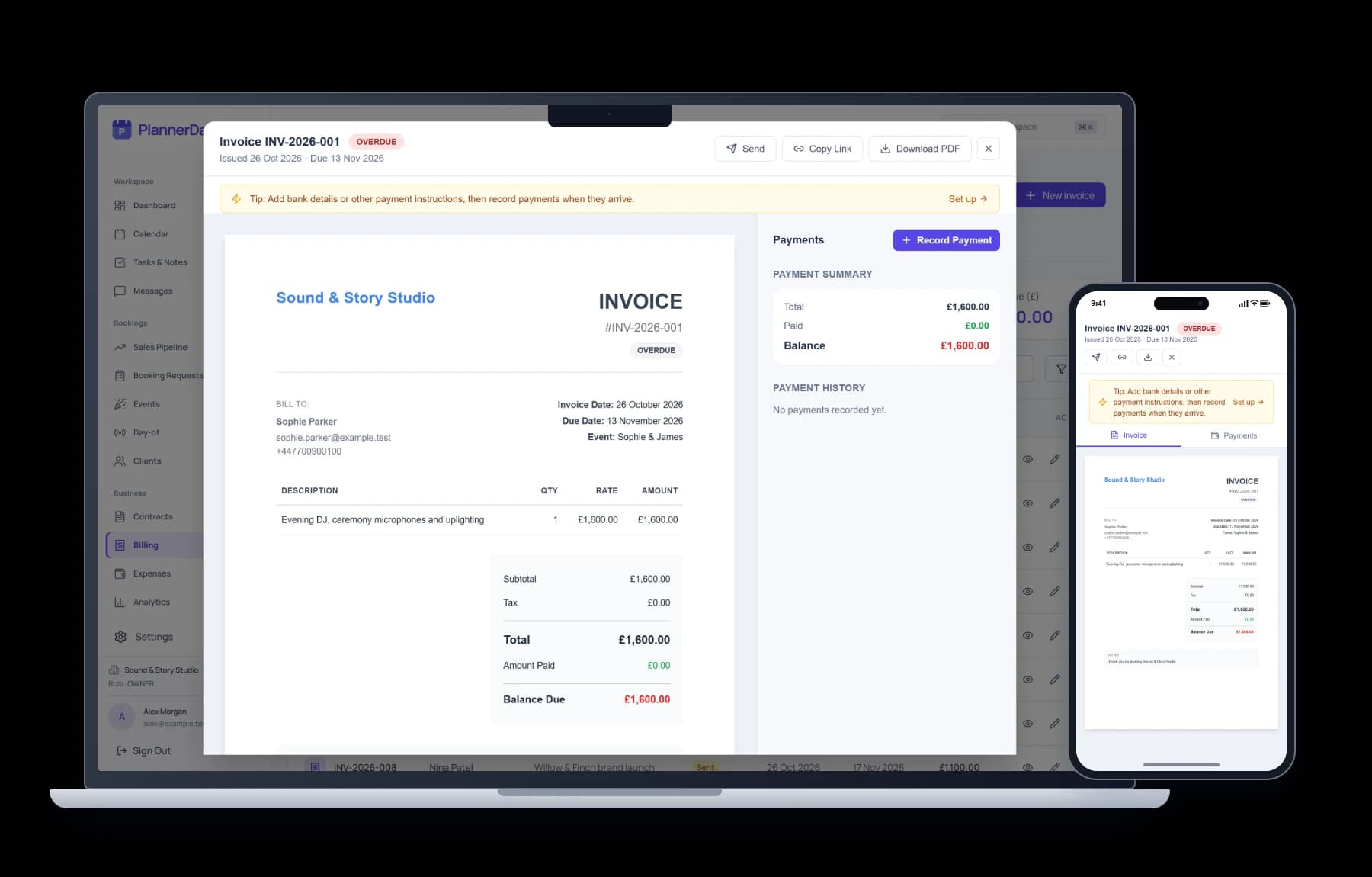
Keep the process connected to the client and event it belongs to.
Add services, package details and line items for the booking.
Specify the deposit, instalments and balance due dates.
Send the invoice with the payment instructions for your business.
Record received payments and follow up on outstanding balances.
Practical tools you can use again with your next booking.
Show clients the services, quantities and prices included in their booking.
Set out when payments are due, from the booking deposit to the final balance.
Clients pay your business directly using the instructions you provide.
Record received payments and see the remaining balance together.
Use reminders to follow up before or after an invoice is due.
Keep your branding, payment terms and usual layout ready for the next event.
See how invoices and deposits fits into a complete booking workflow.
Keep gig details, contracts, client preferences and playlists together.
Explore DJ booking softwareConnect enquiries and documents to shoot preparation and client galleries.
Explore photography booking softwareKeep the client brief, coverage hours, event plan and delivery tasks connected.
Explore event content creator softwareNeed help with your own workflow? Talk to us.
No. Clients pay your business directly using the instructions on your invoice. PlannerDay helps you manage invoices, deposit schedules, records and reminders.
Yes. Set a deposit schedule and payment due dates for an event, then record payments as they arrive.
Yes. Configure payment reminders as part of your invoice and workflow setup.
Yes. Your PlannerDay subscription pays for software access. Your invoices to clients are for your own services, and those clients pay you directly.
Explore the tools with your own business and client workflow in mind.
14-day trial. Payment method required. Renews automatically unless cancelled.
PlannerDay subscriptions provide access to business management software. Event services are supplied separately by independent businesses.