DJ Booking Checklist for Weddings, Parties & Events
A practical DJ booking checklist covering enquiries, quotes, deposits, music requests, venue access and final checks. Download a branded Excel workbook.
Read the guide and download ExcelFor mobile and wedding DJs
Keep enquiries, contracts, invoices and music requests together. PlannerDay gives your DJ business one place to manage the booking and prepare for the night.
14-day trial. Payment method required. Your plan renews automatically unless cancelled.
Plans from £9.99/month. View pricing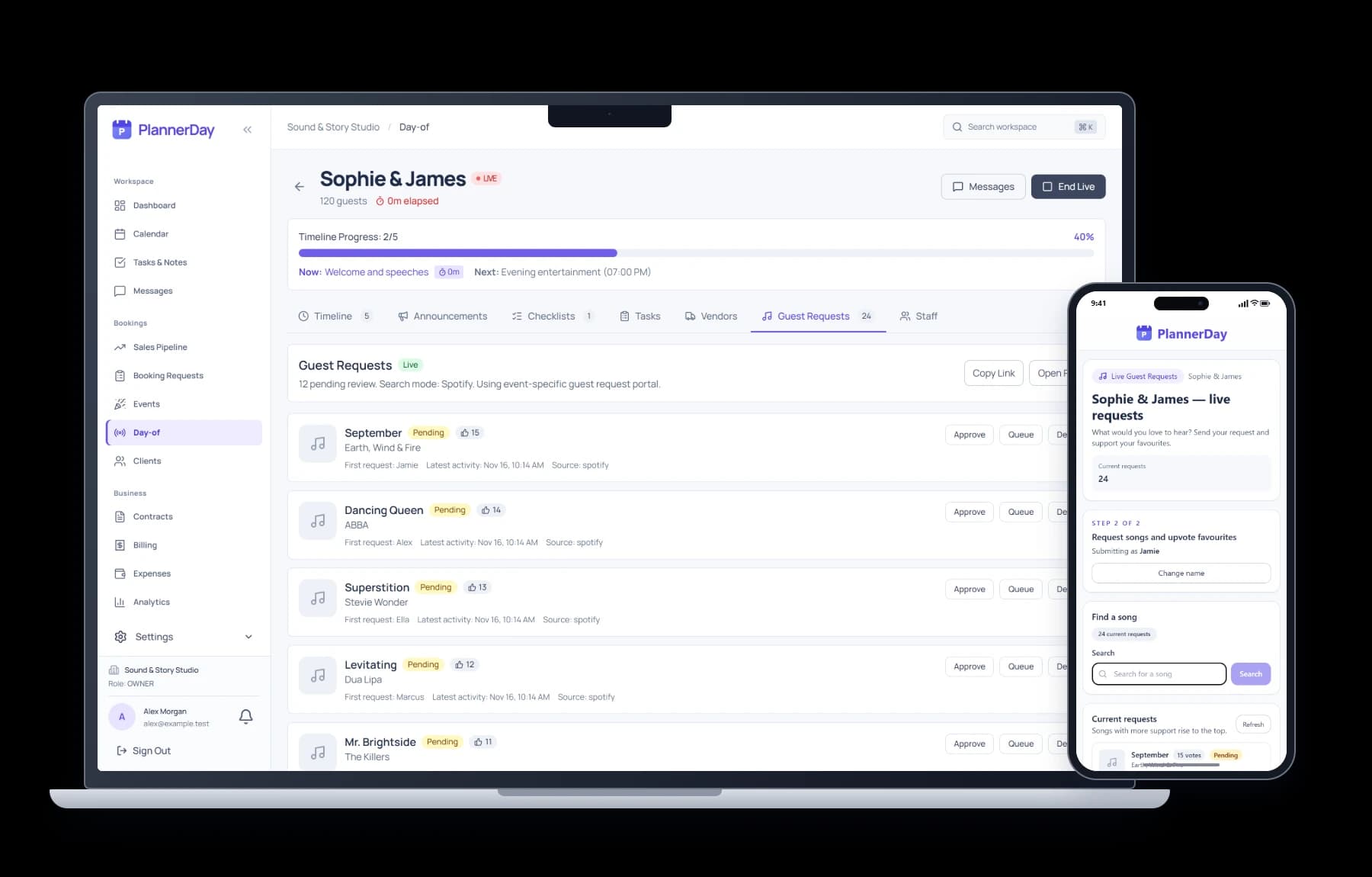
A repeatable booking process for weddings, private parties and corporate gigs.
Collect the date, venue, event type and requirements through your booking form.
Prepare a quote, send a contract for signature and set out the deposit schedule.
Gather song preferences, build the playlist and keep the event details together.
Refer to the timeline and manage live guest requests from your dashboard.
See it in action
Watch music planning, guest requests and the live DJ queue work together, with equipment and enquiries close to hand.
Workflow overview45 seconds
Quick look30 seconds
Music and on-screen captions. Example records shown.
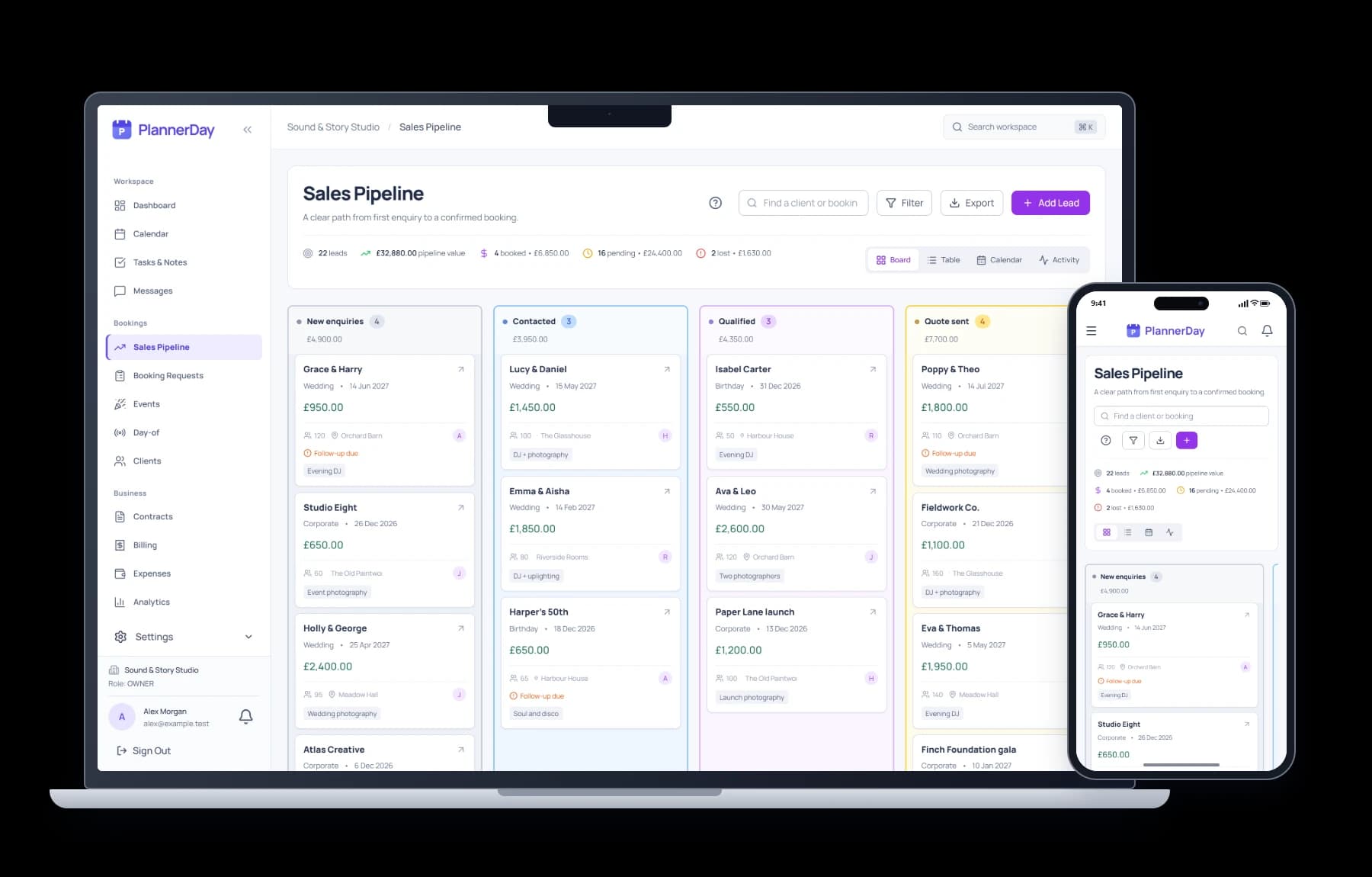
Keep the client conversation connected to the booking. See where each enquiry stands and what needs your attention before the event.
Use a custom booking form to ask about the venue, timings, package and special requirements.
Reuse your terms, collect digital signatures and track invoices, deposits and balances.
Give clients access to event details, documents and questionnaires through their account.
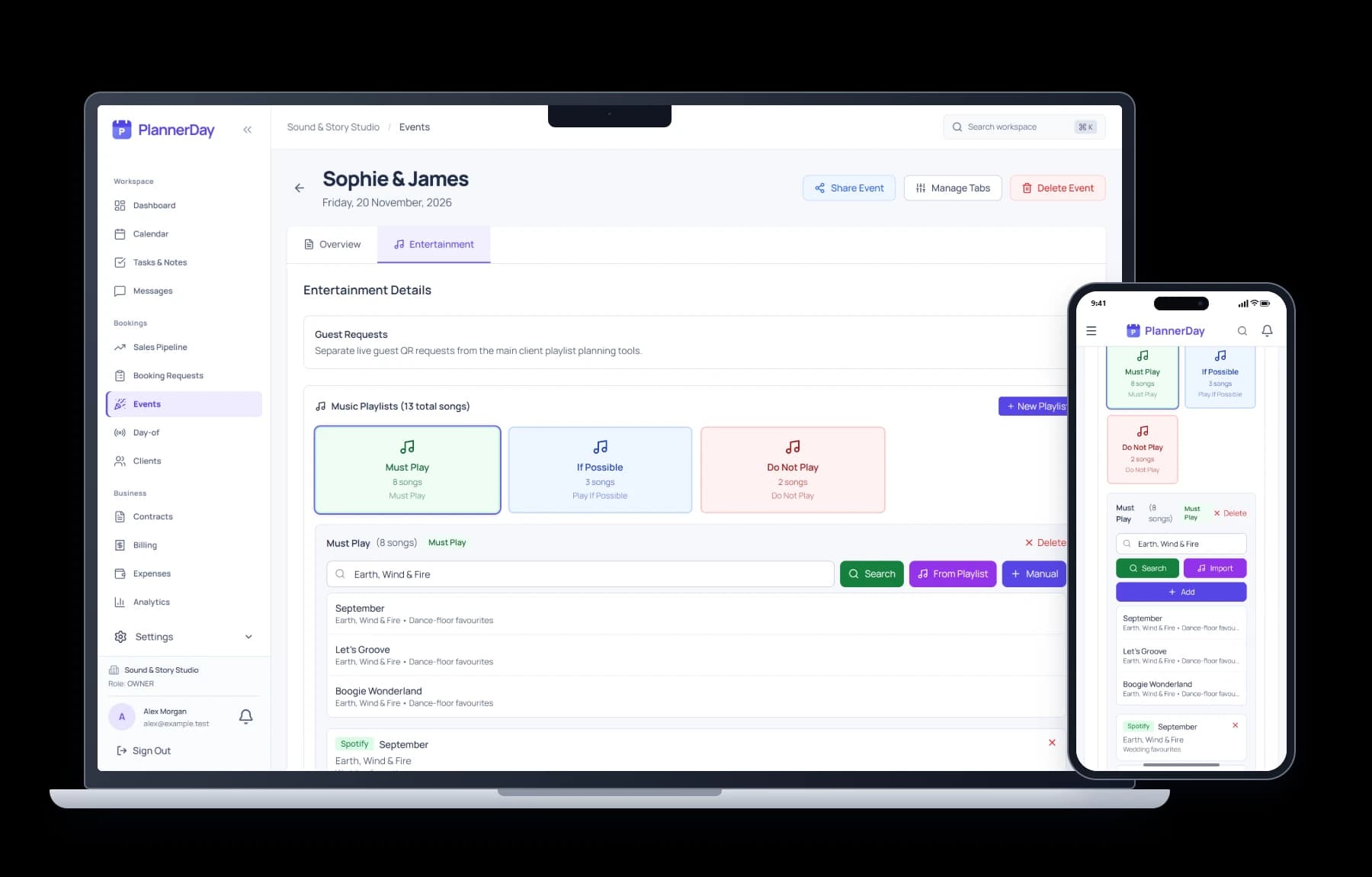
Keep music preferences with the gig, ready when you need them. Import your catalogue from Rekordbox, Serato or CSV and build event playlists.
Separate must-play, possible and do-not-play tracks so the client’s preferences stay clear.
Build playlists alongside the event details instead of piecing requests together from messages.
Share a QR code for live requests. Review, queue or decline songs while keeping control of the music.
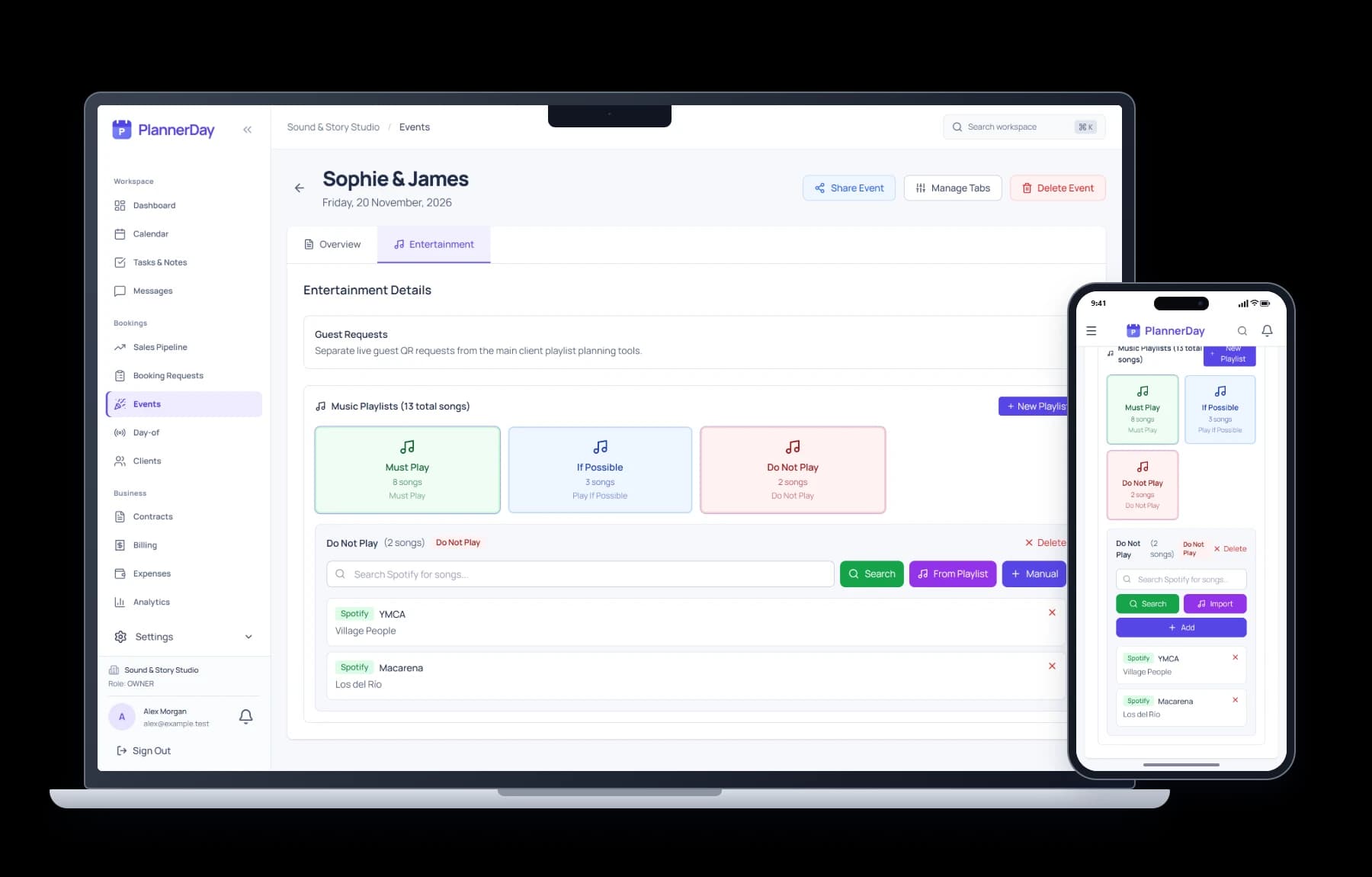
Keep the tracks your client wants to skip alongside their music preferences.
Record Do Not Play tracks in the event so they stay easy to find.
Keep preferences together with the client and gig details.
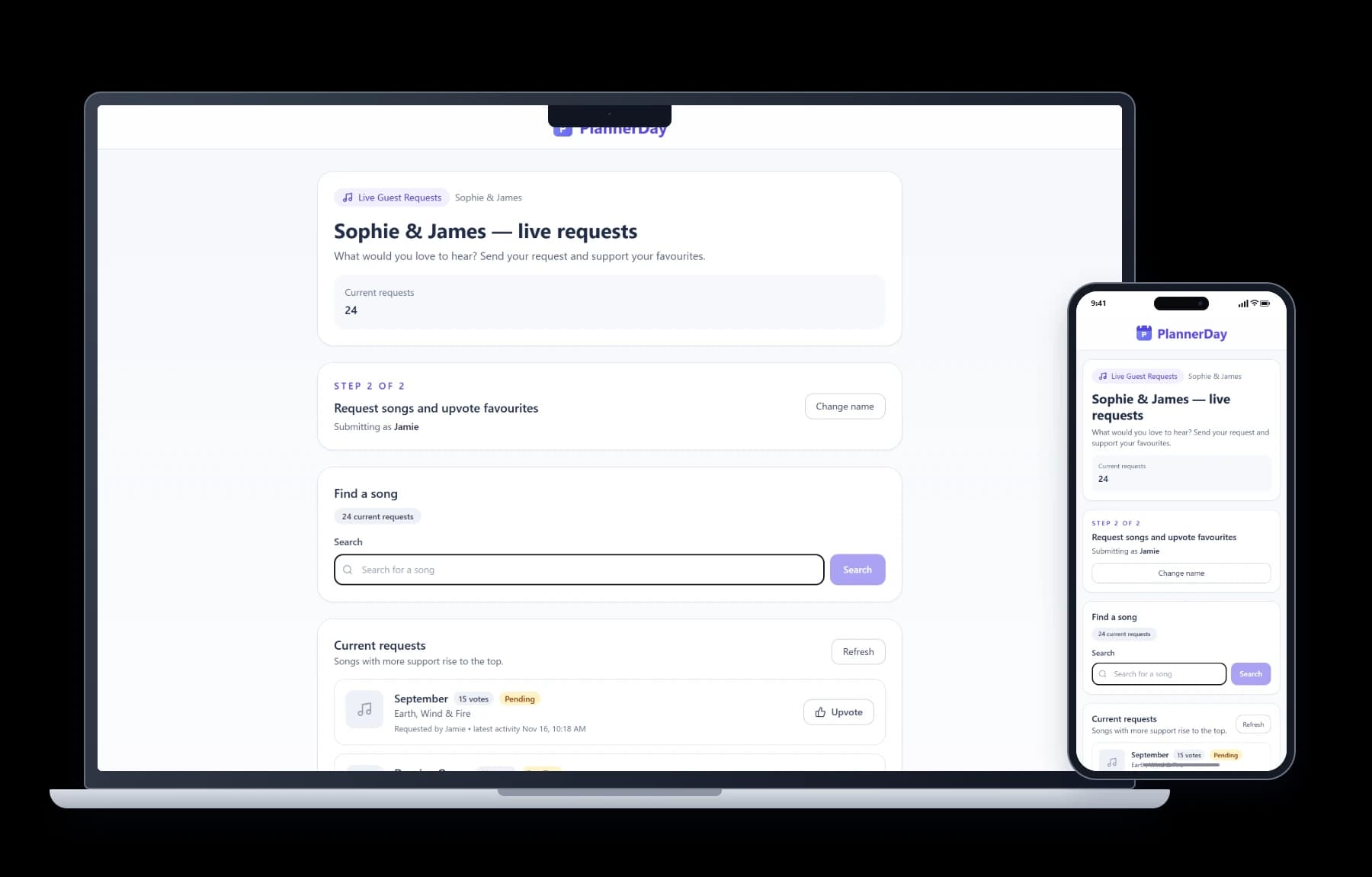
Guests can request songs and support their favourites while you manage the queue from Day-of.
Let guests browse current requests, find a song and support their favourites.
Review requests and see pending, approved, queued and played songs.
The practical details matter just as much as the playlist.
Keep arrival, setup, speeches and performance timings in an event timeline.
Explore event timelinesTrack your equipment and assign DJs or crew to events as your business grows.
Equipment and photo booth hireBuild reusable workflows for enquiries, unsigned contracts and upcoming payments.
Explore workflow automationFor a wedding, agree the formal moments and song preferences. For a party, confirm the crowd, sound restrictions and finish time. For a corporate event, keep the organiser's running order and technical requirements with the booking.
A practical DJ booking checklist covering enquiries, quotes, deposits, music requests, venue access and final checks. Download a branded Excel workbook.
Read the guide and download ExcelPlan first dances, key moments, must-play songs and do-not-play tracks. Download a free branded Excel music worksheet for wedding and party DJs.
Read the guide and download ExcelPlan a careful move from DJ Event Planner or another booking system. An Excel checklist for active gigs, client records, documents and payment balances.
Read the guide and download ExcelCompare the booking process, music planning, client access and payment arrangements using a real sample gig.
Compare PlannerDay and DJ Event PlannerConnect the preparation with signed contracts, invoices and deposit tracking and event timelines.
Need help with your own workflow? Talk to us.
PlannerDay brings enquiries, client records, event dates, quotes, contracts, invoices and music preferences into one workspace. It is business management software for mobile and wedding DJs, with music planning tools alongside the booking workflow.
Yes. PlannerDay supports music library imports from Rekordbox XML, Serato crates and CSV files. Use your imported catalogue to organise tracks and build playlists for individual events.
Yes. Keep must-play, possible and do-not-play tracks with the event. Clients can share their preferences so you can prepare a playlist before the day.
Guests scan a QR code and request songs from their phone. You review requests in PlannerDay and can approve, queue or decline them. You stay in control of what gets played.
PlannerDay handles bookings, client communication and music planning. Keep using your preferred DJ software and equipment for mixing and playback.
Create invoices with your payment instructions, set deposit schedules, record payments and send reminders. Clients pay your business directly. PlannerDay does not process payments for your DJ services.
The Individual plan starts at £9.99 per month. Paid plans include a 14-day trial with a payment method required. Your selected plan renews automatically unless cancelled. See the pricing page for plan details.
Try your booking workflow, prepare an event playlist and see how PlannerDay fits your DJ business.
14-day trial. Payment method required. Renews automatically unless cancelled.
PlannerDay subscriptions provide access to business management software. Event services are supplied separately by independent businesses.