Wedding Photography Shot List & Planning Checklist
Plan wedding photography coverage, family groups, key moments and venue logistics. Includes an editable Excel shot list for photographers and clients.
Read the guide and download ExcelFor wedding and event photographers
Keep client enquiries, quotes, contracts and invoices together. Prepare the shoot with questionnaires and shot lists, then share the finished images through client galleries.
14-day trial. Payment method required. Your plan renews automatically unless cancelled.
Plans from £9.99/month. View pricing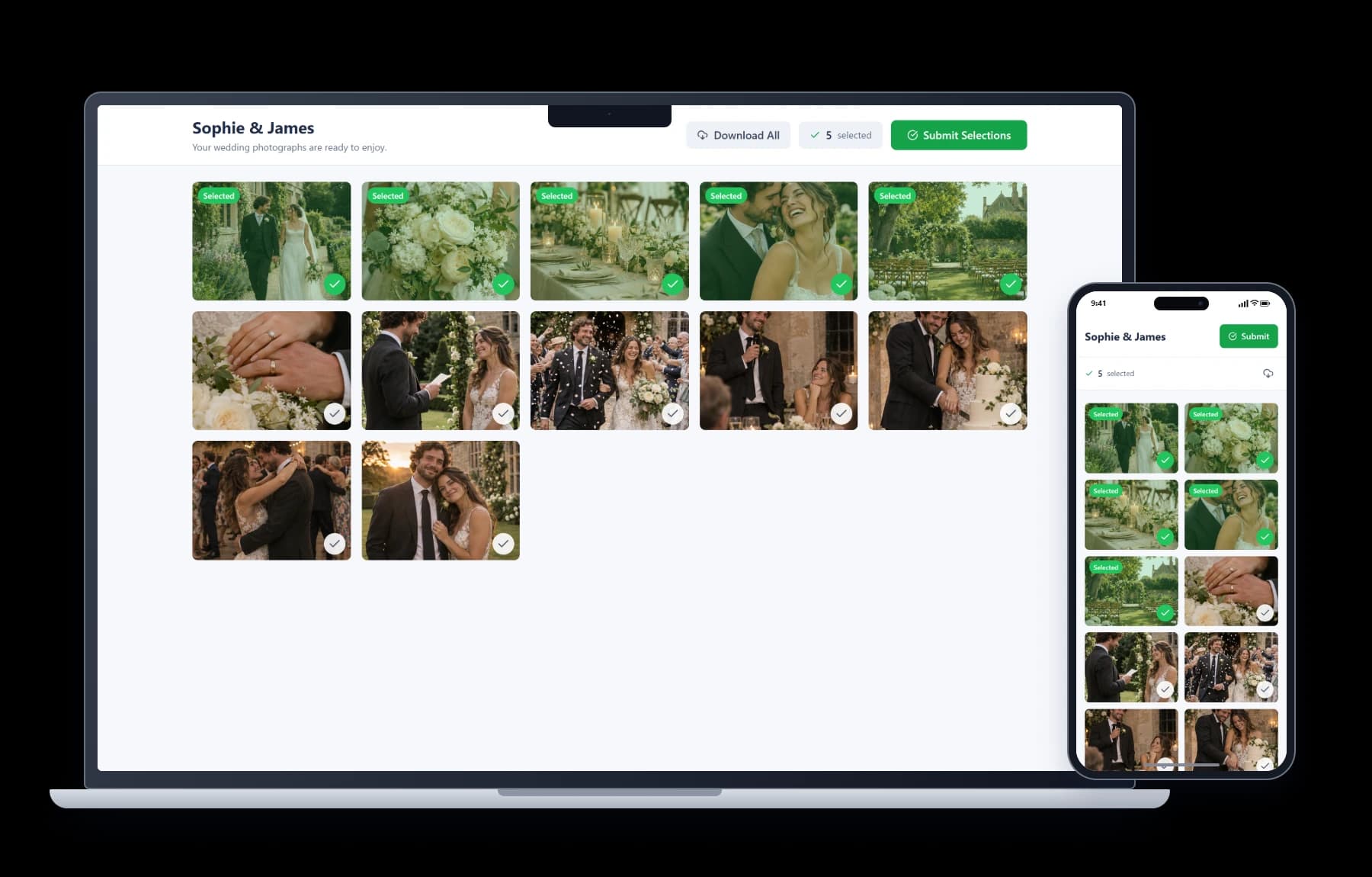
A connected workflow for the work before, during and after the shoot.
Ask for the date, location, coverage and requirements through your booking form.
Prepare a quote, send your contract for signature and share deposit instructions.
Collect questionnaire answers, organise shot lists and build the event timeline.
Deliver images through a client gallery and gather the client’s selections.
See it in action
See shoot preparation, client galleries and photo selections in action, alongside gallery settings and a signature preview.
Workflow overview45 seconds
Quick look30 seconds
Music and on-screen captions. Example records shown.
Use a photography CRM to keep the booking history and documents together, from the first enquiry through to the final balance.
Put packages and add-ons into a quote so clients can review what is included.
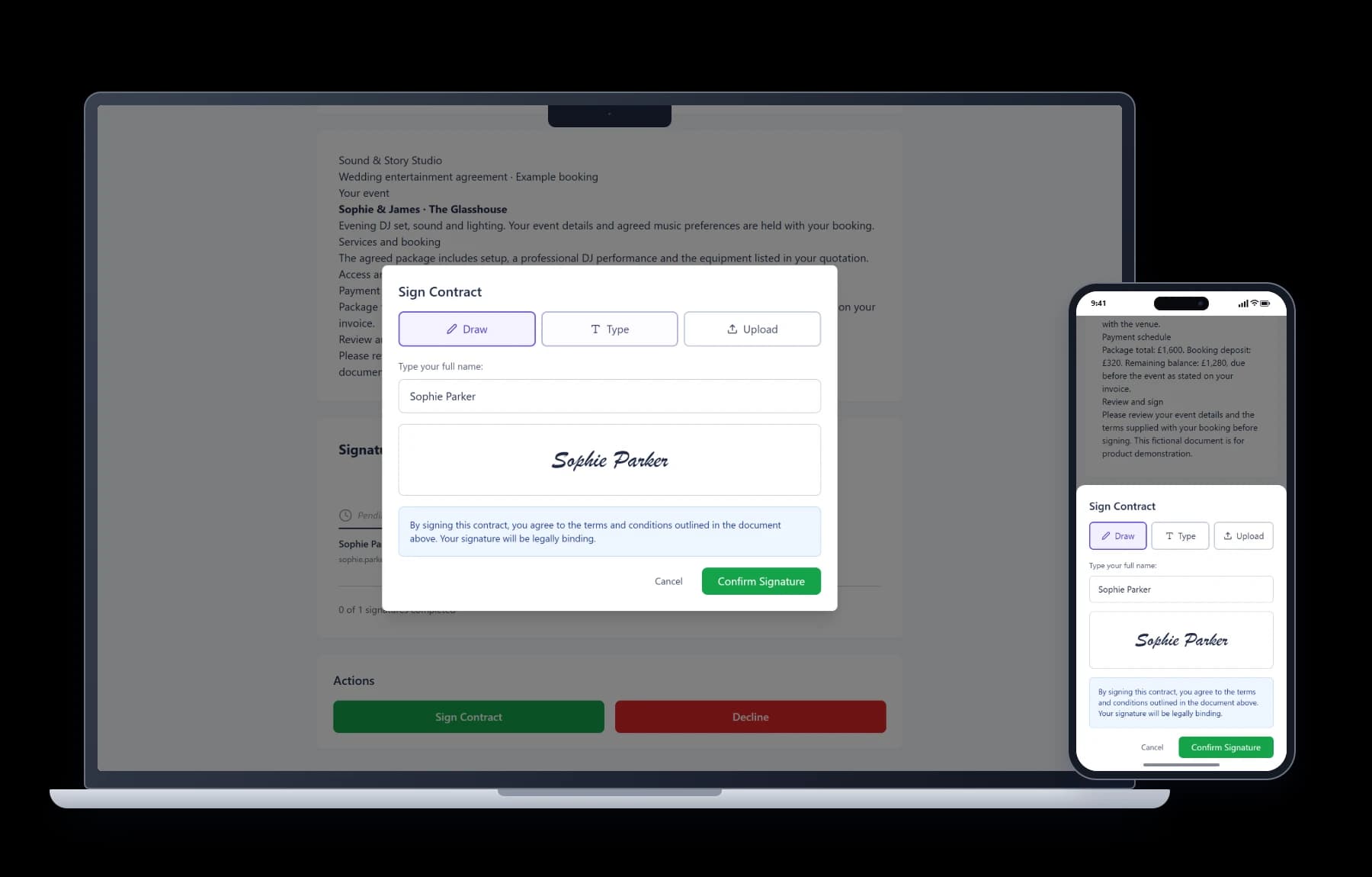
Create reusable contracts with your coverage, usage rights and delivery terms. Clients can sign digitally.
Set out deposits and balances, share payment instructions and keep a record of payments.
Turn the pre-shoot conversation into a plan you can use. Keep the brief, important people and timings connected to the event.
Ask about locations, family groups, timings and special requests using reusable question templates.
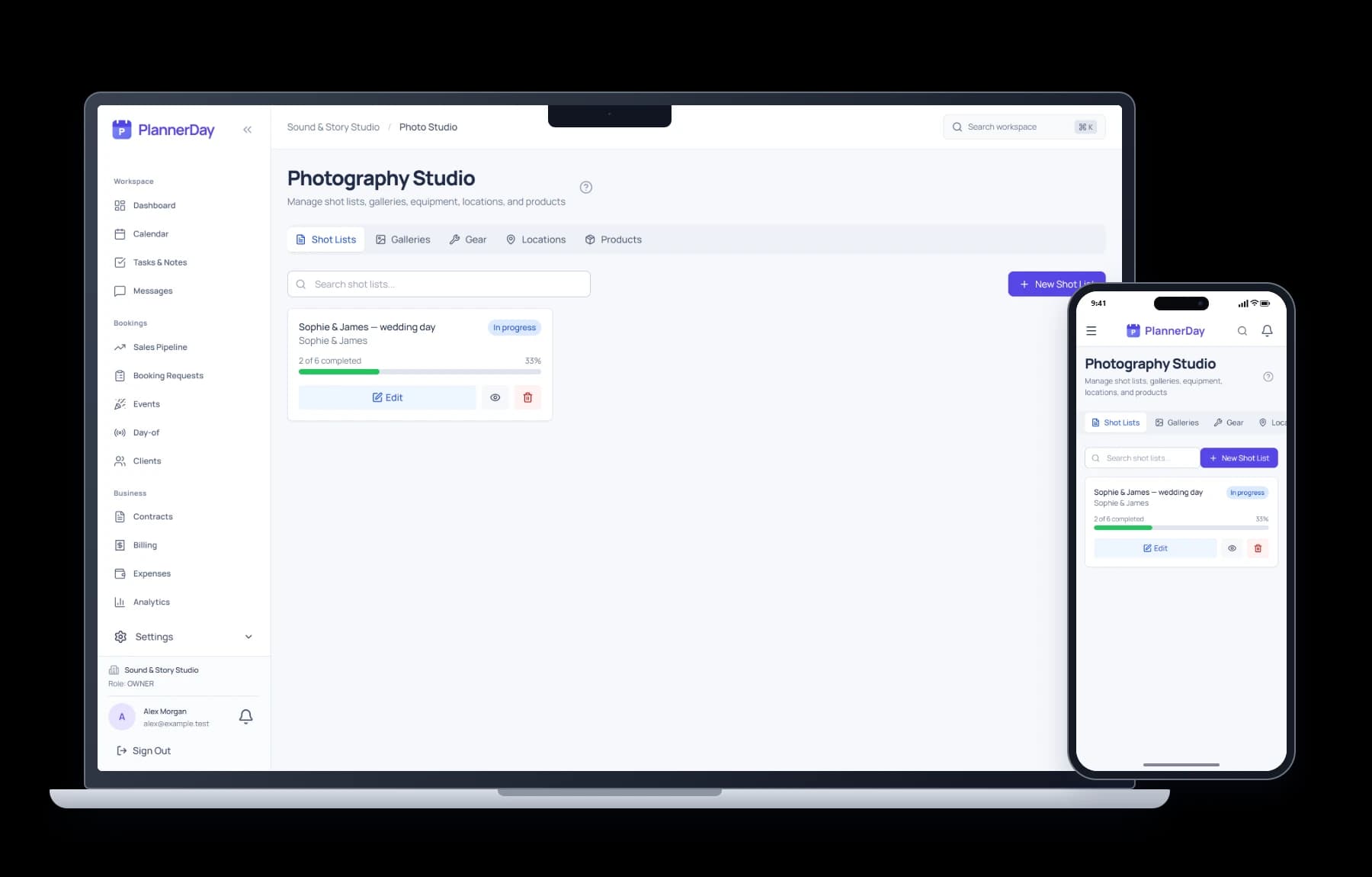
Organise shots by category and priority, including the must-have images agreed with your client.
Keep coverage timings and event milestones together. Add a second shooter or other team members to the event.
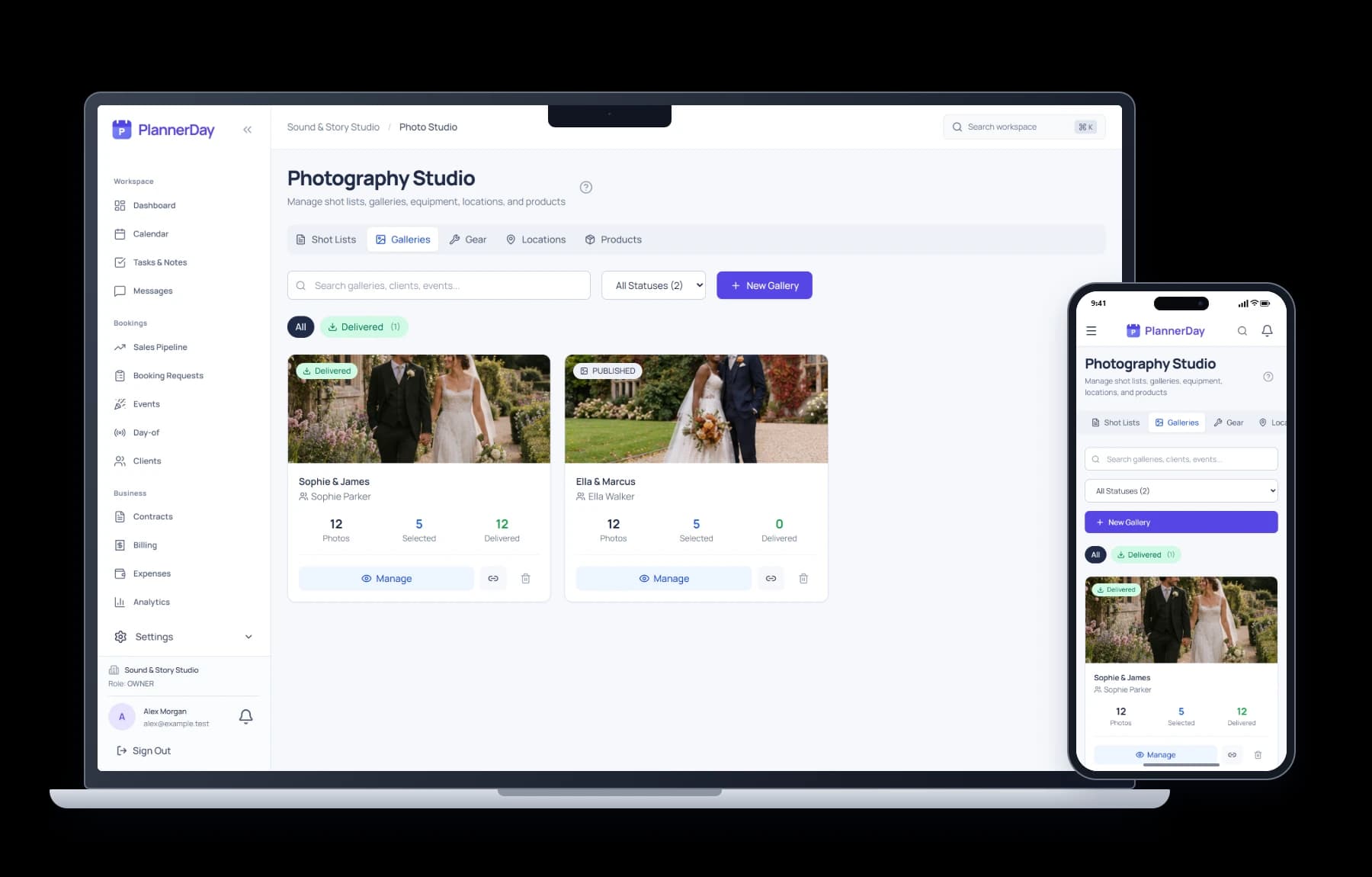
Share a gallery for each client, keep image selections together and follow delivery from your workspace.
Clients can browse their photographs and choose their favourites from their own gallery.
Keep gallery details and selections alongside the client and event.
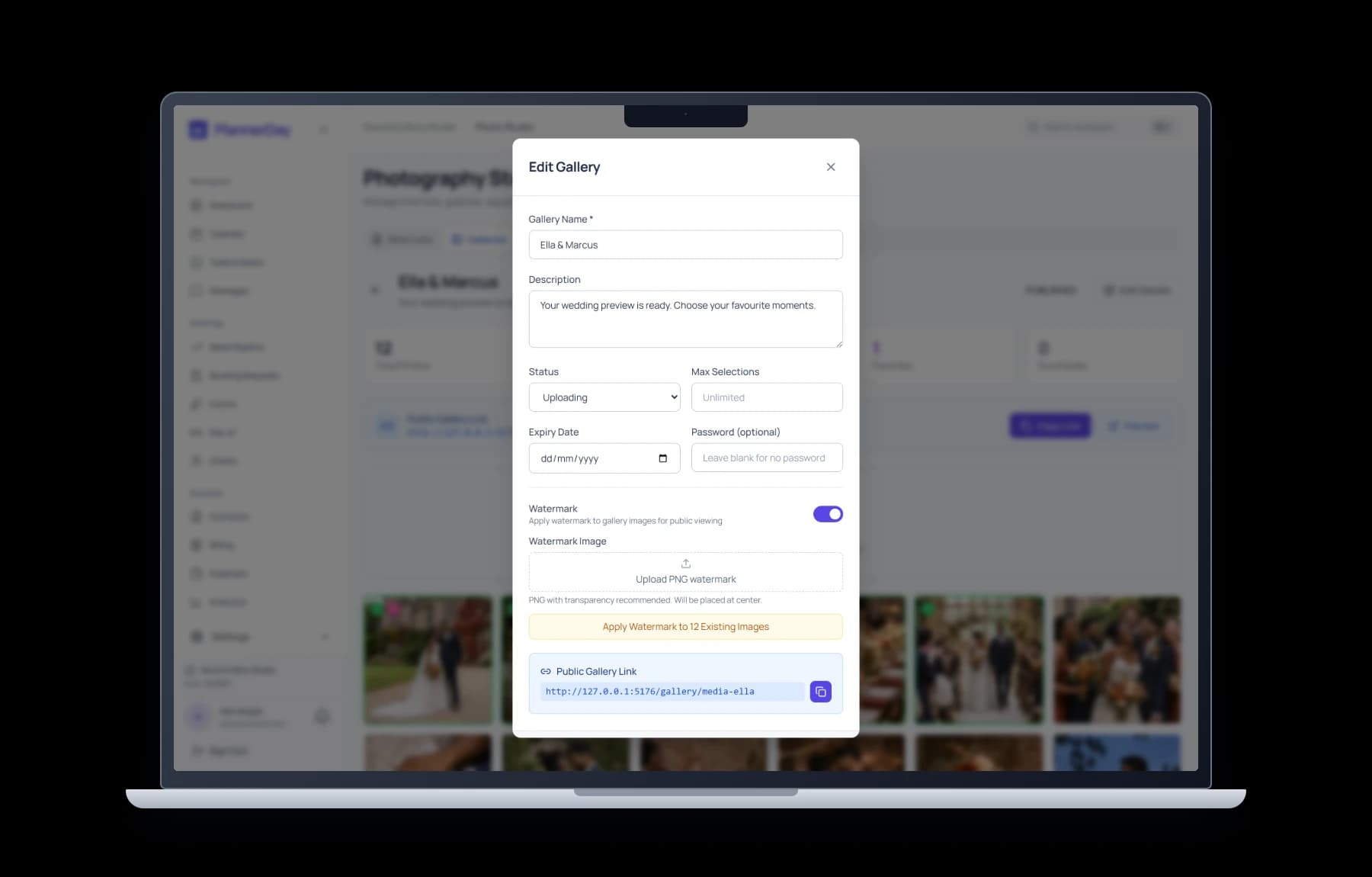
Manage watermarking in the gallery settings as part of preparing a client gallery.
Configure watermarking in the gallery settings before sharing your previews.
Keep each gallery assigned to the right client and event.
Carry the same organised approach through to image delivery and follow-up.
Share images through gallery links, add optional password protection and collect client selections.
Give clients access to their event details, contracts, invoices and questionnaires in one place.
Explore the client portalSet up workflows and email templates for enquiry follow-ups, reminders and messages after the event.
Explore workflow automationFor a wedding, prioritise family groups and key moments. For a party, agree guest coverage and privacy requirements. For a corporate event, collect the organiser's brief, delivery deadline and intended image use.
Plan wedding photography coverage, family groups, key moments and venue logistics. Includes an editable Excel shot list for photographers and clients.
Read the guide and download ExcelCollect photography coverage, contacts, priorities, family groups and delivery details. Download a free editable Excel client questionnaire and planning checklist.
Read the guide and download ExcelConnect the commercial booking to a clear content brief, with agreed coverage, priority moments and delivery expectations.
Explore the content creator workflowConnect the preparation with signed contracts, invoices and deposit tracking and event timelines.
Need help with your own workflow? Talk to us.
PlannerDay keeps enquiries, client records, event dates, quotes, contracts and invoices together. For wedding and event photographers, it also includes questionnaires, shot lists and client galleries to support preparation and delivery.
Yes. Create reusable contract templates with your own terms, usage rights and delivery details, then send them to clients for digital signature. Review your terms for your business and the services you provide.
Yes. Build questionnaires for information such as locations, timings, family groups and client preferences. Use shot lists to organise the images you need to capture, with categories and priorities.
Yes. Create galleries, share access links and optionally protect galleries with a password. Clients can make image selections, and you can track gallery views and downloads.
PlannerDay handles business administration, shoot planning and client galleries. Keep using your preferred editing software for processing and retouching images.
Add your payment instructions to invoices, set a deposit schedule, record payments and send reminders. Clients pay your business directly. PlannerDay does not process payments for photography services.
The Individual plan starts at £9.99 per month. A payment method is required for the trial, and your selected plan renews automatically unless cancelled. The pricing page explains Individual, Team and Enterprise plans.
Try the enquiry, contract and preparation workflow with your own photography business in mind.
14-day trial. Payment method required. Renews automatically unless cancelled.
PlannerDay subscriptions provide access to business management software. Event services are supplied separately by independent businesses.